Introduction
If you spend too much time copying information between apps, responding to repetitive emails, researching the same type of information, updating spreadsheets, or managing routine business tasks, an AI agent may be able to take part of that work off your hands.
But choosing an AI agent tool isn’t easy. Some platforms are designed for visual automation, while others focus on business AI agents, technical workflows, AI assistants, or autonomous tasks.
In this guide, we’ll compare five of the best AI agent and automation platforms in 2026: Make, n8n, Relevance AI, Lindy, and Gumloop.
You’ll learn what each tool actually does, who it is best for, real-world ways to use it, pricing, advantages, limitations, and which one makes the most sense for your specific needs.
Quick answer: Make is a strong starting point for visual automation, n8n is better for technical users who want control, Relevance AI is focused on business AI agents, Lindy is built around AI assistants, and Gumloop is particularly useful for AI-powered workflows and agents.
What Are AI Agent Tools?
An AI agent tool is software that allows an AI system to do more than simply answer a question.
Instead of:
You ask → AI answers
an agent-based workflow can work more like:
You give a goal → AI analyzes the information → chooses an action → uses connected tools → completes steps → returns the result
For example, imagine receiving 50 customer inquiries.
Instead of manually reading every message, an AI-powered workflow could:
- Read the incoming inquiry
- Identify what the customer needs
- Categorize the request
- Extract important information
- Add the customer to a CRM
- Notify the appropriate team member
- Draft a response
The exact capabilities depend on the platform.
That’s important because not every tool marketed around AI agents works in exactly the same way. Make and n8n are strongly associated with workflow automation while also supporting AI-agent functionality, whereas Relevance AI, Lindy, and Gumloop place more emphasis on agents and AI-driven work.
What Can AI Agents Actually Do?
Depending on the platform, AI agents can help with:
- Research
- Email management
- Customer support
- Lead qualification
- CRM updates
- Meeting preparation
- Data processing
- Content workflows
- Reporting
- Document processing
- Connecting multiple applications
- Repetitive administrative work
The important question isn’t simply “Can AI automate this?”
It’s:
“What repetitive problem am I trying to eliminate?”
That question will help you choose the right platform.
1. Make — Best for Visual Automation
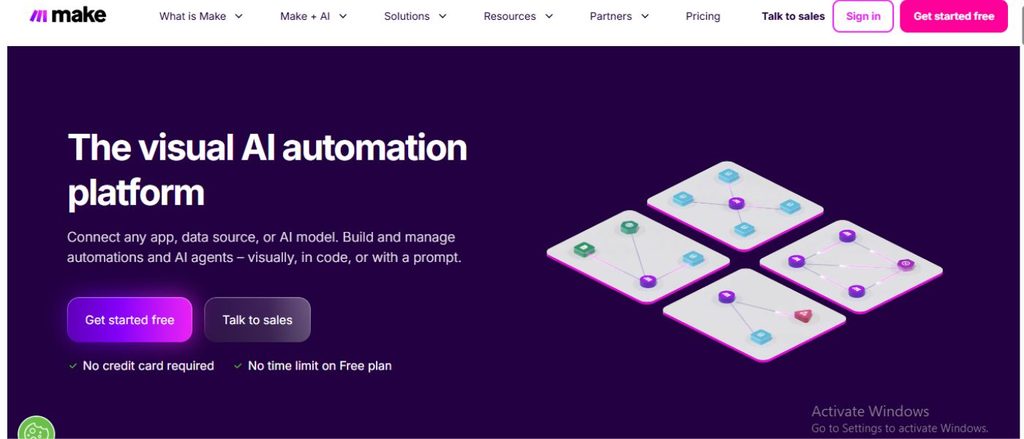
Make is a visual automation platform that lets you connect applications and build workflows without starting from traditional programming.
Its biggest advantage is the visual interface. You can see how information moves from one step to another and build increasingly complex workflows.
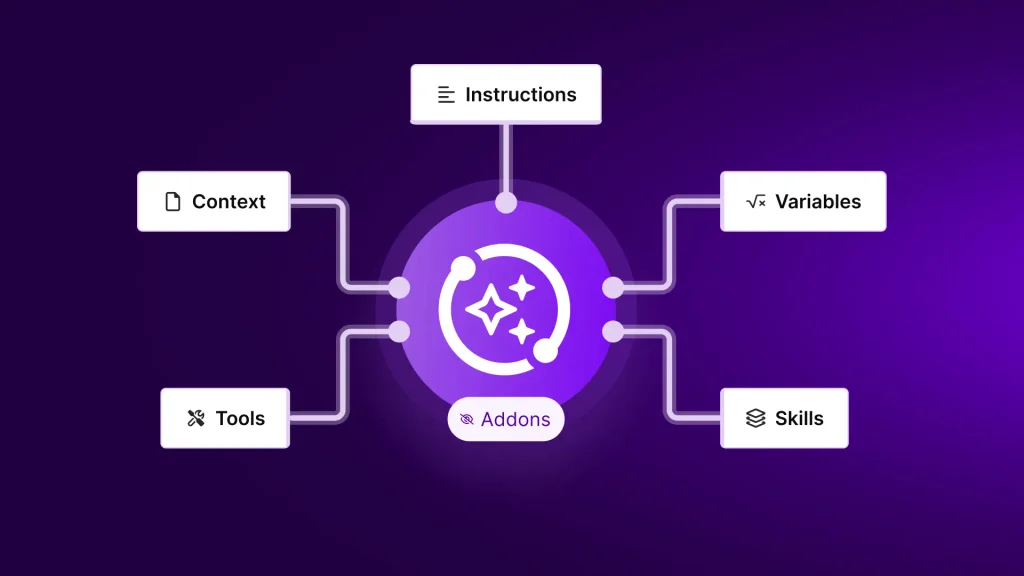
Make also now provides AI-agent functionality, allowing agents to use modules, scenarios, and MCP tools to perform tasks.
What problem does Make solve?
Make is useful when your problem is:
“I keep doing the same sequence of tasks across different applications.”
For example:
New form submission → AI analyzes it → Google Sheets updated → email sent → Slack notification
Instead of doing those steps manually, you can create a workflow.
Who is Make best for?
Make is a good fit for:
- Beginners
- Freelancers
- Small businesses
- Marketers
- Content creators
- People who prefer visual tools
- Users who need to connect multiple apps
Real-world examples
If you’re a student:
You could create a workflow where a submitted assignment or document is processed and the important information is organized into another application.
If you’re a content creator:
You could automate a workflow that takes content ideas from a spreadsheet, sends them through an AI step, and stores the resulting outlines.
If you’re running a business:
A new lead could enter through a form, be analyzed, added to a CRM, and trigger a notification automatically.
Pricing
Make currently has a Free plan with up to 1,000 credits per month. Its Core plan starts at $12/month for 10,000 credits, while Pro starts at $21/month for 10,000 credits.
AI-agent usage can consume credits based on operations and AI-token usage, so your actual consumption depends on what your agent does.
Advantages
- Very visual interface
- Beginner-friendly
- Large number of integrations
- Good for multi-step workflows
- AI-agent functionality
- Easy to understand how data moves
Limitations
- Complex workflows can become difficult to manage
- AI-agent usage can consume credits
- Advanced automation may require time to learn
- Costs can increase as usage grows
Best choice if:
You want a visual automation platform that is relatively easy to understand and you’re not looking to build everything with code.
2. n8n — Best for Advanced AI Workflows
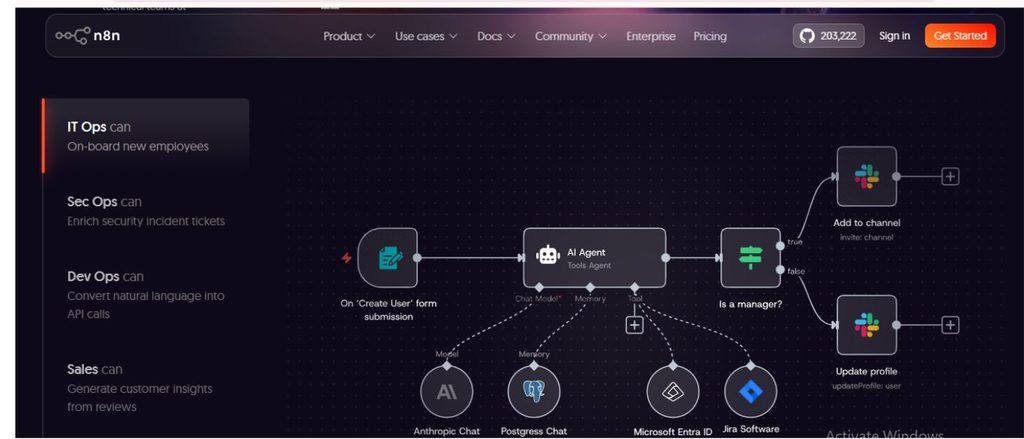
n8n is a workflow automation platform aimed particularly at users who want greater control over their workflows.
Compared with simpler visual automation platforms, n8n gives technical users more flexibility, including JavaScript/Python code steps, custom API requests, webhooks, and self-hosting options.
What problem does n8n solve?
n8n is particularly useful when your problem is:
“I need an automation system that can handle complicated logic and give me more control.”
For example:
Website inquiry → AI classifies inquiry → check customer database → determine priority → update CRM → send appropriate response
You can build much more complex logic around that process.
Who is n8n best for?
- Developers
- Technical users
- AI builders
- Startups
- Advanced automation users
- Businesses requiring custom workflows
Real-world examples
If you’re a developer:
You could build an AI agent that receives a request, queries an API, processes the result with an AI model, and sends the final response.
If you’re running a SaaS business:
n8n could connect your forms, database, CRM, email system, and AI models into one automated workflow.
If you’re managing leads:
A workflow could enrich a lead, score it, check your CRM, and route it to the appropriate salesperson.

Pricing
n8n’s current Cloud Starter plan is €20/month when billed annually, with 2,500 workflow executions and unlimited steps. The Pro plan is €50/month when billed annually, with 10,000 executions.
One important difference is that n8n charges based on workflow executions, rather than charging separately for every individual workflow step.
n8n also provides a self-hosted Community Edition.
Advantages
- Highly flexible
- Excellent for complex workflows
- Supports code
- Custom API requests
- Self-hosting option
- Powerful for AI automation
- Unlimited workflow steps within an execution
Limitations
- Steeper learning curve than beginner-focused tools
- Technical knowledge becomes more useful as workflows become complex
- Self-hosting requires more technical responsibility
- Advanced setups can take longer to build
Best choice if:
You want maximum control and you’re comfortable with technical workflows.
3. Relevance AI — Best for Business AI Agents
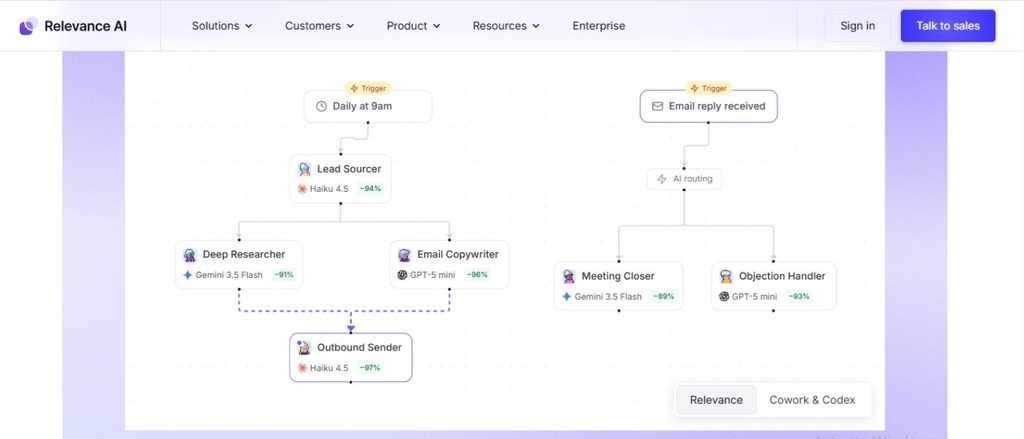
Relevance AI takes a more agent-focused approach.
Instead of primarily thinking about individual automations, Relevance AI focuses on building AI agents and AI workforces that can handle business tasks.
What problem does Relevance AI solve?
Its strongest use case is:
“I want an AI agent to perform a specific business function rather than simply automate one or two steps.”
For example, you could create an agent designed around sales research, lead qualification, operations, or other repeatable business processes.
Who is Relevance AI best for?
- Sales teams
- Marketing teams
- Operations teams
- Startups
- Businesses experimenting with AI workers
- Users who want dedicated AI agents
Real-world examples
For sales:
An agent could research a company, gather information, and prepare a sales brief.
For marketing:
An agent could research competitors and organize findings for a marketing team.
For operations:
An agent could process incoming information and route tasks to the appropriate workflow.
For a small business:
You could build a specialized agent around a recurring operational task instead of manually performing the same process every day.
Pricing
Relevance AI currently offers a Free plan, with 200 Actions per month and a one-time allocation of vendor credits.
Its Pro plan starts at $19/month when billed annually or $29/month monthly, with 2,500 Actions per month. Team starts at $234/month annually or $349/month monthly.
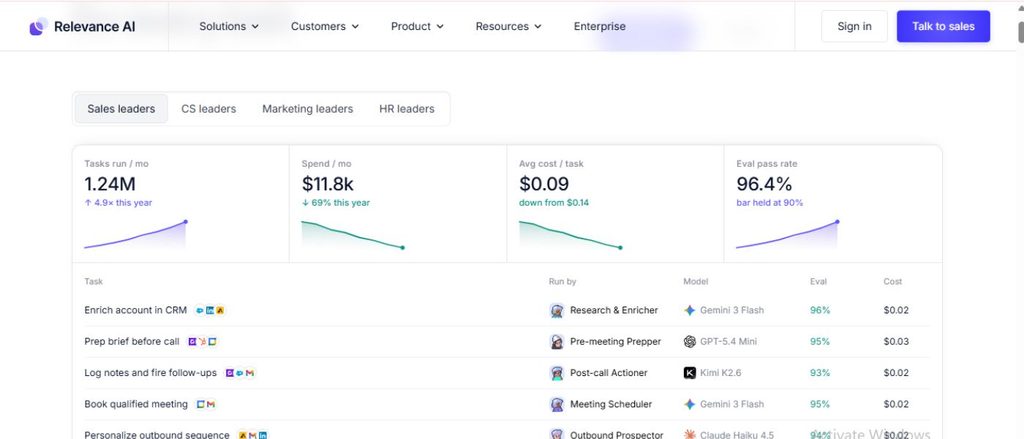
A key thing to understand is that Relevance AI separates Actions from Vendor Credits. Actions represent work performed by agents/tools, while Vendor Credits cover AI-model and tool usage.
Advantages
- Strong focus on AI agents
- Designed for business workflows
- Unlimited agents on listed plans
- Large integration ecosystem
- Supports multiple AI models
- Useful for specialized business agents
Limitations
- Pricing becomes more complicated as usage increases
- Heavy workloads can require paid plans
- More focused on business use cases than simple personal automation
- Understanding Actions and Vendor Credits takes some time
Best choice if:
Your main goal is to build AI agents that perform repeatable business tasks.
4. Lindy — Best for AI Assistants
Lindy takes a different approach from Make and n8n.
Instead of focusing primarily on building visual workflows, Lindy is designed around AI assistants that can work across areas such as email, meetings, research, scheduling, and recurring tasks.
What problem does Lindy solve?
Lindy is useful when your problem is:
“I have too many recurring digital tasks that I want an AI assistant to help me handle.”
For example, Lindy can help with meeting preparation, inbox management, scheduled routines, research, and other recurring work.
Who is Lindy best for?
- Professionals
- Founders
- Executives
- Freelancers
- Salespeople
- People with heavy email and meeting workloads
Real-world examples
If you have many meetings:
Lindy can help with meeting preparation, notes, follow-ups, and scheduling.
If your inbox takes too much time:
You can use an AI assistant to help draft replies and manage recurring inbox tasks.
If you’re a freelancer:
You could use it for recurring administrative work such as organizing information, drafting communications, and preparing follow-ups.
If you’re researching competitors:
Lindy’s documented usage examples include competitor research and generating reports.
Pricing
Lindy’s current Plus plan is $29.99/month per user with 3,000 credits. Pro is $99.99/month with 15,000 credits, while Max is $199.99/month with 35,000 credits.
Lindy uses credits based on the amount of work performed. Everyday tasks can consume around 2–250 credits, while deeper tasks can consume hundreds or more.
Advantages
- Designed around AI assistants
- Strong email and meeting capabilities
- Scheduled routines
- Many integrations
- Built-in approvals
- Useful for recurring professional tasks
Limitations
- Can become expensive for heavy usage
- Credit-based usage means complex tasks consume more
- Unused monthly credits do not roll over
- Better suited to assistant-style tasks than highly customized developer workflows
Best choice if:
You want an AI assistant to help manage recurring personal or professional work rather than building complex automation from scratch.
5. Gumloop — Best for AI-Powered Workflows
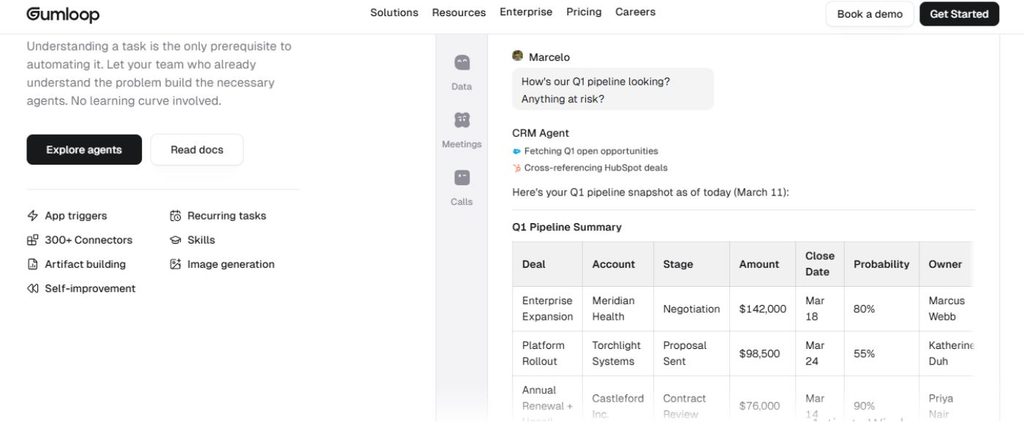
Gumloop combines AI agents with workflows, allowing users to create agents that interact with applications and perform tasks.
It is particularly interesting if you want to move beyond simple automation and give AI agents access to tools and workflows.
What problem does Gumloop solve?
Its core use case is:
“I want AI to perform multi-step work across the tools my business already uses.”
Gumloop supports agents that can work with connected tools and workflows, and its documented use cases include CRM, data analysis, meeting preparation, content creation, support, ecommerce, and SEO automation.
Who is Gumloop best for?
- AI-first businesses
- Marketing teams
- Sales teams
- Operations teams
- Content teams
- Users who want to build AI agents without building everything from code
Real-world examples
For content creators:
An agent could help research a topic, organize information, and move the results into a content workflow.
For sales:
A CRM agent could research accounts and update CRM information.
For ecommerce:
An AI workflow could help with inventory-related tasks and other store operations.
For meetings:
A meeting-preparation agent can gather relevant information before a call.
Gumloop also supports human approval steps, so agents can pause and request approval before important actions.
Pricing
Gumloop’s current Pro plan starts at $37/month, includes 20,000 credits per month, unlimited agents, 35+ models, and a 14-day free trial. The current pricing page also lists an 8% orchestration fee. Enterprise pricing is custom.
Gumloop’s credit system is usage-based. Agent costs can vary depending on the model, conversation length, tools used, and workflow execution.
Advantages
- Strong AI-agent capabilities
- Useful business use cases
- Multiple AI models
- Good for multi-step work
- Human approval controls
- Strong integrations
Limitations
- Credit usage can be difficult to predict for complex agents
- Heavy usage can increase costs
- More advanced workflows require time to configure
- Monthly credits generally don’t roll over except on Enterprise plans
Best choice if:
You want to build AI agents that can perform multi-step work across your business tools.
AI Agent Tools Compared
| Tool | Best For | Ease of Use | Pricing Starting Point | Biggest Strength | Main Limitation |
|---|---|---|---|---|---|
| Make | Visual automation | Easy–Medium | Free / $12 paid | Visual workflows | Credit usage |
| n8n | Advanced workflows | Medium–Advanced | €20/mo annually | Flexibility & control | Steeper learning curve |
| Relevance AI | Business AI agents | Medium | Free / $19 annually | Agent-focused workflows | Usage model can be complex |
| Tool | Best For | Ease of Use | Pricing Starting Point | Biggest Strength | Main Limitation |
|---|---|---|---|---|---|
| Lindy | AI assistants | Easy–Medium | $29.99/mo | Email & productivity | Credits can run out |
| Gumloop | AI workflows & agents | Medium | $37/mo | AI-powered workflows | Variable usage costs |
Pricing and limits can change, so check the provider’s current pricing page before purchasing.
Which AI Agent Tool Should You Choose?
Don’t choose based on which tool has the longest feature list.
Choose based on the problem you want to solve.
Choose Make if…
You want to connect apps visually and build automation without needing much code.
Example:
You receive a lead through a form → AI analyzes it → Google Sheets is updated → your team receives a notification.
Choose n8n if…
You are technical and want deeper control over workflow logic, APIs, code, and infrastructure.
Example:
You want an AI system that connects your database, APIs, CRM, and multiple AI models with custom logic.
Choose Relevance AI if…
You want to create specialized AI agents for business tasks.
Example:
You want an AI sales-research agent that researches companies and prepares information for your sales team.
Choose Lindy if…
Your biggest problem is recurring personal or professional work such as emails, meetings, scheduling, and research.
Example:
You spend hours every week preparing meetings and managing follow-up emails → an AI assistant handles much of the recurring work.
Choose Gumloop if…
You want AI agents that can perform multi-step work across your business applications.
Example:
You want an agent to research information, analyze it, update a system, and trigger another workflow.
AI Agent vs Traditional Automation:
Which Do You Actually Need?
AI agents aren’t automatically better than traditional automation.
If your task is completely predictable, traditional automation may be the better choice.
For example:
Simple automation:
When someone submits a form → add their information to Google Sheets.
You don’t necessarily need an AI agent for that.
But consider:
When someone submits an inquiry → understand what they are asking → determine the category → identify the urgency → extract important information → send it to the correct workflow.
This is where AI can become more useful because the system needs to interpret information before deciding what to do.
The best approach is therefore not:
“Use AI for everything.”
It’s:
“Use AI where interpretation or decision-making adds value, and use traditional automation where fixed rules are enough.”
Are AI Agent Tools Worth It in 2026?
For the right workflow, yes.
The biggest benefit isn’t necessarily replacing an entire employee or job.
It’s removing small repetitive tasks that consume time every day.
For example, imagine a business owner spends 30 minutes every morning:
- Checking emails
- Copying customer information
- Updating a CRM
- Preparing a report
- Sending notifications
That’s approximately 2.5 hours per week just on the same routine.
An AI-powered workflow could automate some of those steps, leaving the person to focus on tasks that require judgment.
The key is to start small.
Find one repetitive task → automate it → measure the result → improve it → then automate the next task.
Frequently Asked Questions
What is the best AI agent tool in 2026?
There isn’t one tool that’s best for everyone. Make is a strong choice for visual automation, n8n for advanced technical workflows, Relevance AI for business AI agents, Lindy for AI assistants, and Gumloop for AI-powered workflows and agents.
What is the best AI agent tool for beginners?
Make is one of the easier options for beginners because its visual workflow builder makes it easier to understand how different steps connect.
Do AI agent tools require coding?
Not always. Make, Relevance AI, Lindy, and Gumloop can be used for many tasks without traditional programming. n8n also supports visual workflows, although technical knowledge becomes increasingly useful for advanced workflows.
Are AI agent tools free?
Some offer free plans or trials. Make has a Free plan, Relevance AI has a Free plan, and n8n offers a free trial for its Cloud service. Other tools have limited free access or trials.
Which AI agent tool is best for business?
It depends on the business problem. Relevance AI and Gumloop are particularly focused on business AI-agent use cases, while Make and n8n are strong choices when the main requirement is connecting applications and building workflows.
Can AI agents replace human workers?
AI agents can automate parts of jobs, especially repetitive digital tasks, but they shouldn’t automatically be treated as complete replacements for human judgment. For important decisions, businesses should consider approval steps, monitoring, and access controls.
Final Verdict
The best AI agent tool isn’t necessarily the one with the most features.
It’s the one that solves your specific repetitive problem without creating more complexity than it removes.
For beginners: Start with Make.
For technical users: Consider n8n.
For business-focused AI agents: Look at Relevance AI.
For personal and professional AI assistance: Lindy is worth considering.
For AI-powered business workflows and agents: Gumloop is a strong option.
Before paying for any platform, start with one real task you want to automate. Estimate how often you’ll run it, test it with real data, and then compare the cost against the time it saves.
That’s a much better way to choose an AI agent than simply choosing the tool with the longest feature list.
#AIAgents #AIAutomation #AITools #AIProductivity #WorkflowAutomation #AutomationTools #AIWorkflows #BusinessAutomation #ProductivityTools #AI2026